

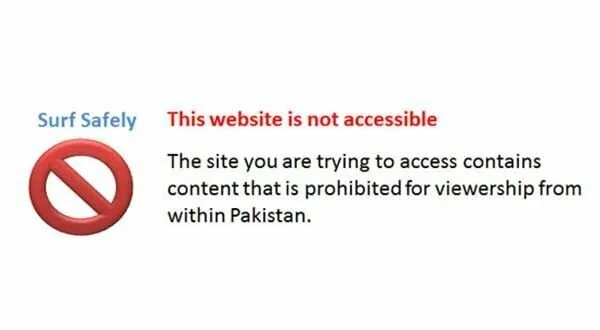
Sometimes it happens that when you tried to go for a website it gives an error “This website is not accessible in Pakistan” or website is not accessible at http:// anymore. Pakistani Govt has banned the nude, porn XXX, including YouTube content in Pakistan. Its not the case Besides the fact that you have visited this website two to three days before and now it is giving an error of not accessible. It is not a problem that is associated with the proxy system where you go for proxy software to access these sites. This case is entirely different from the proxy case.
Unblock Method # 1:
Your internet connection needs optimization. You are required to alter the TCP parameters and to settle down this issue. It may be a little difficult for you but there is a program named DrTCP using which you can fix this issue.
DrTCP is an application that lets users optimize the internet connection in order to fix this issue.
Step 1: Download DrTCP from here and install it in the system.
Step 2: Launch the DrTCP and move to the Adapter Settings.
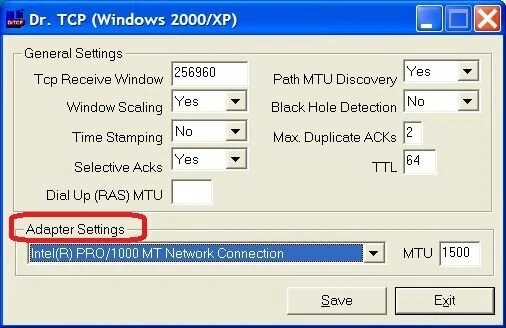
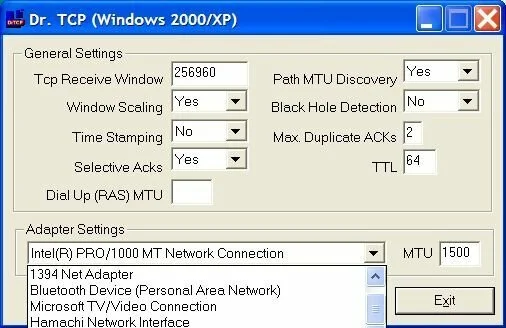
Step 3: In drop Adapter Settings, there will be a list of network adapters of your system. Select the appropriate one for your system.
Step 4: Same in front of Adapter Settigns there will be MTU value that is by default 1,500. Keep it as and save the settings. Now open the website that you were unable to access.
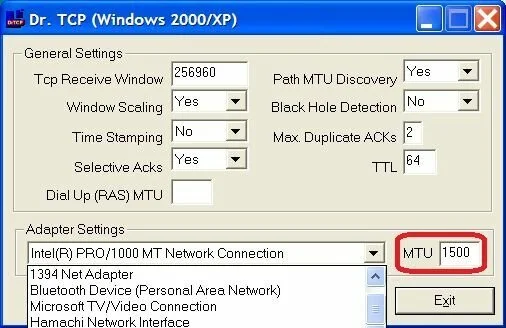
Step 5: If you are still unable to access the website then simply change the MTU value by 1,492 and then try with 576. After making the changes, save it and reboot the system. Go for the website and it will be now opened automatically.
Highly Recommended: Before using DrTCP, make the registry backup.
Unblock Method via Browser Extension # 2:
ZenMate is a safest and easier way to access online the websites you loved more without compromising on security and by hiding your identity.
How to Install ZenMate?
Below is the process of installing ZenMate in web browser.
Step 1: Open your web browser from where you want to access YouTube.
Step 2: Select the extension for your browser and install it. Extension can be access from here: Mozilla Firefox, Google Chrome, Opera, Internet Explorer.
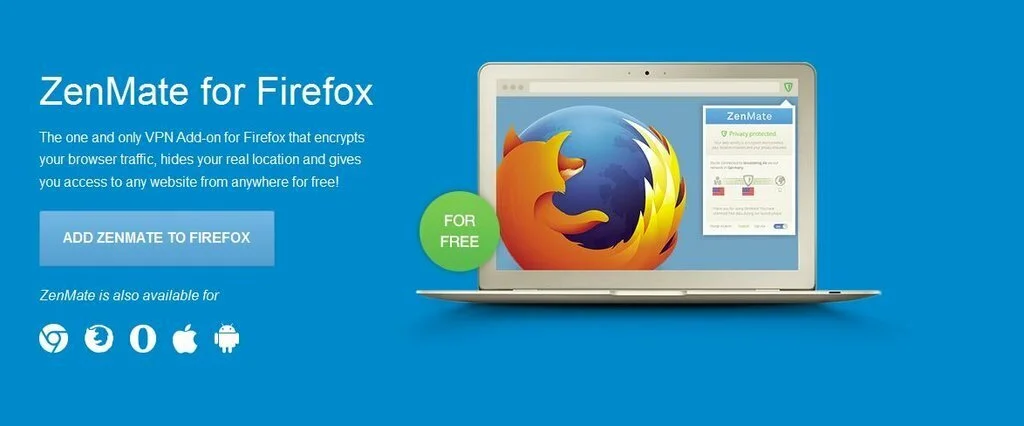
Step 3: Click on Add ZenMate to Firefox. Here we are installing ZenMate on Firefox (process for other browsers is also same).
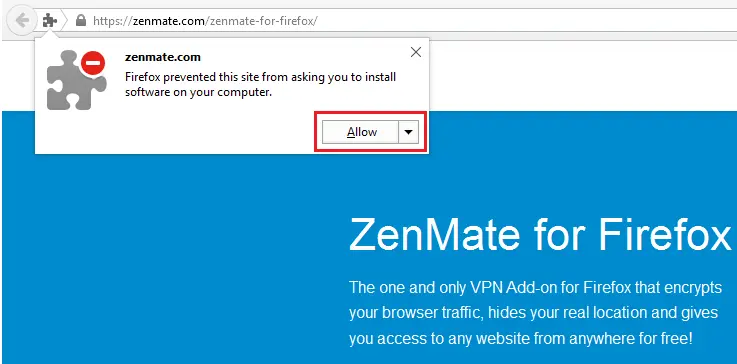
Step 4: A notification for permission will appear at top left corner. Click on Allow.
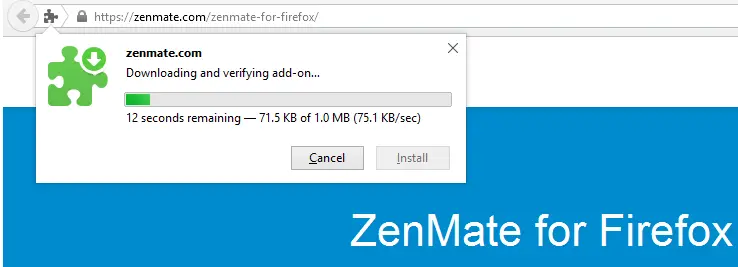
Step 5: It is being download. Wait for a while.
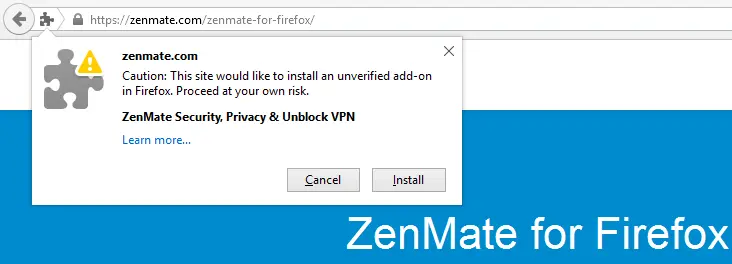
Step 6: Click on install.
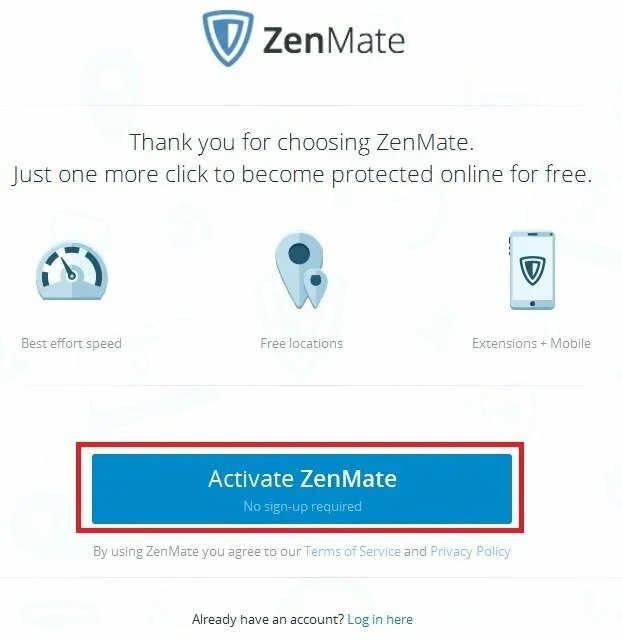
Step 7: You will be directed to a new page. Click on Activate ZenMate.
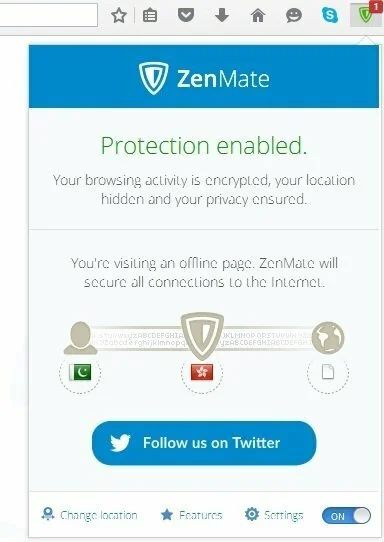
Step 8: A green shield icon will be displayed at the top right corner. When it is green it is connected and in case of disconnected it appeared as blue. You can also on or off it from the option in the lower end.
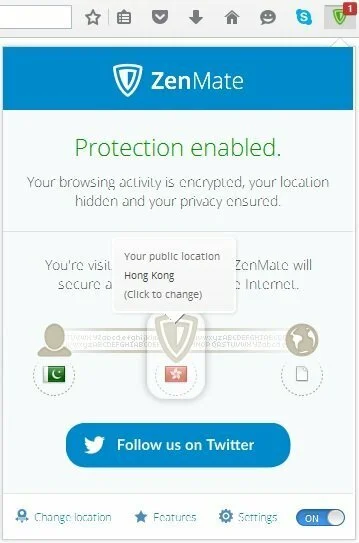
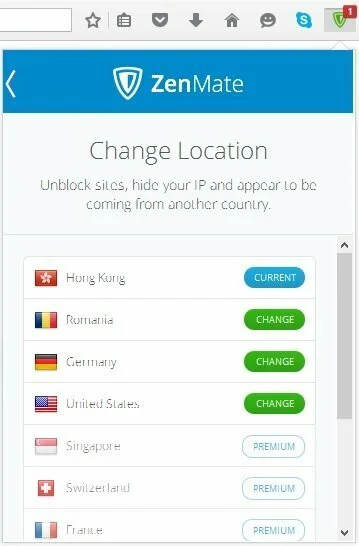
Step 9: If you want to change the location that click on the Flag and select your desired location and click on change location. Free version of ZenMate contains only four locations. Premium locations are also available against payment plans.
Introduction of ZenMate (Video)
Unblock Method via Software # 3:
Download & Install one of Software’s Below:
or
ii. Download Ultra Surf .zip file Recommended
Unblock Method via Proxy Surfing# 4:
The other Alternative way is go to following sites.
The above mentioned site will ask you the URL of site you want to visit and all you have to do is to write the name of website you want to surf.
So these are the easy ways to reach your favorite sites if those are blocked.
- https://www.vidproxy.com/
- https://www.sslunblocker.com/
- http://www.goproxing.com/
- http://www.unblockyoutube.org/
- http://www.speedproxy.co.uk/
The above mentioned site will ask you the URL of site you want to visit and all you have to do is to write the name of website you want to surf.
So these are the easy ways to reach your favorite sites if those are blocked.